Second factor test
Security key as second factor: test a FIDO U2F style key
Most banks and enterprises use a security key after the password: a touch, no PIN, nothing stored on the key. The debugger shows you which ceremony settings that takes, compared with storing a passkey on the key. Open the prepared test, register your key and see what your server would get: whether only presence was checked, which attestation format came back and whether the key is FIDO certified.
- About 2 minutes
- Any FIDO2 or U2F key: USB, NFC or Bluetooth
- Chrome, Edge, Safari or Firefox
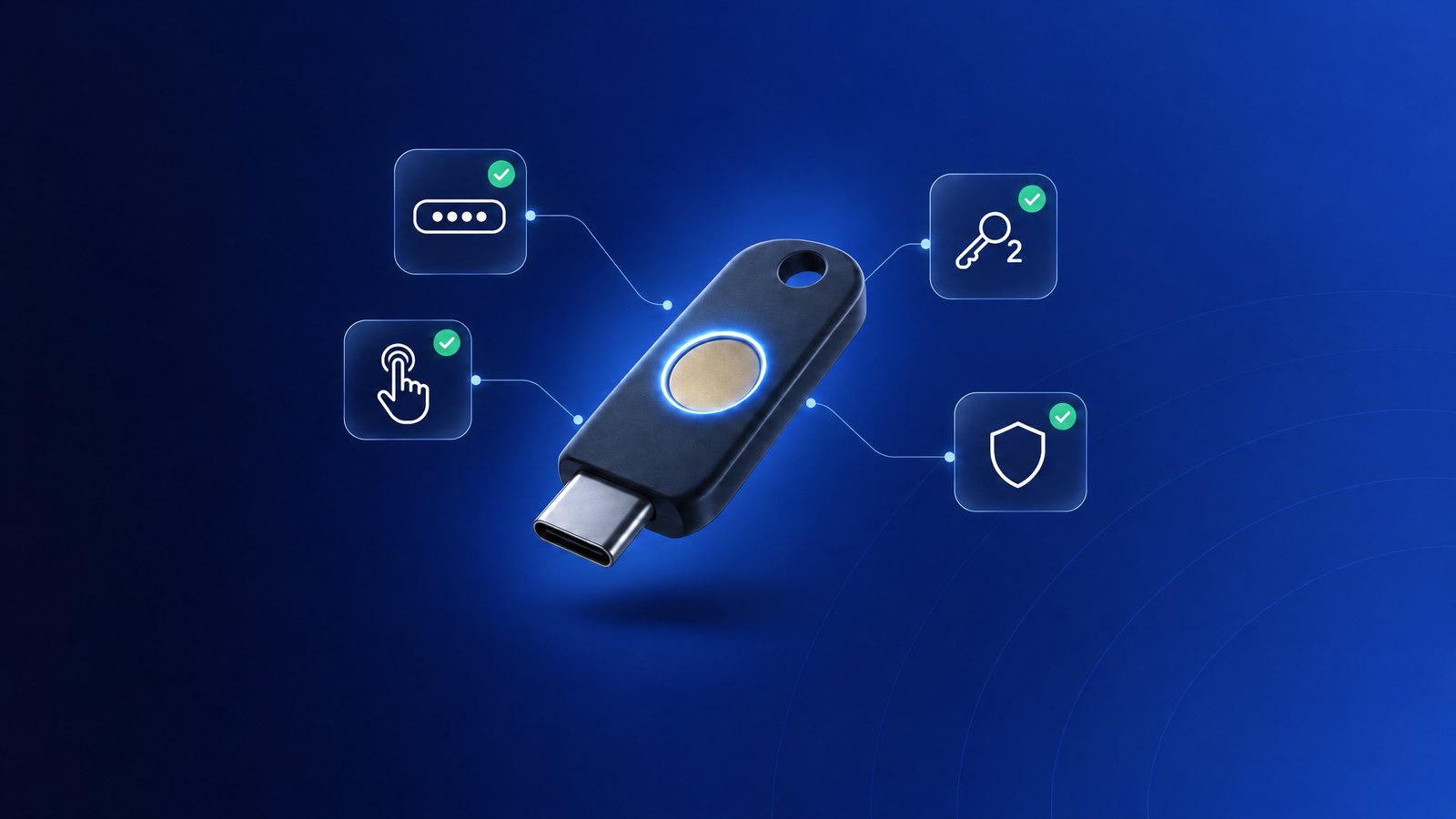
What the test checks
Touch only
User present but not verified: the key was touched, no PIN was asked.
Not discoverable
Nothing is stored on the key; login needs the credential ID from your server.
Attestation format
fido-u2f or packed. Which one depends on the browser and the key, not on your options.
FIDO certification
Checked against the FIDO Metadata Service by AAGUID, or by certificate key ID for fido-u2f.
Test your key as a second factor in four steps
- 1
Open the prepared test
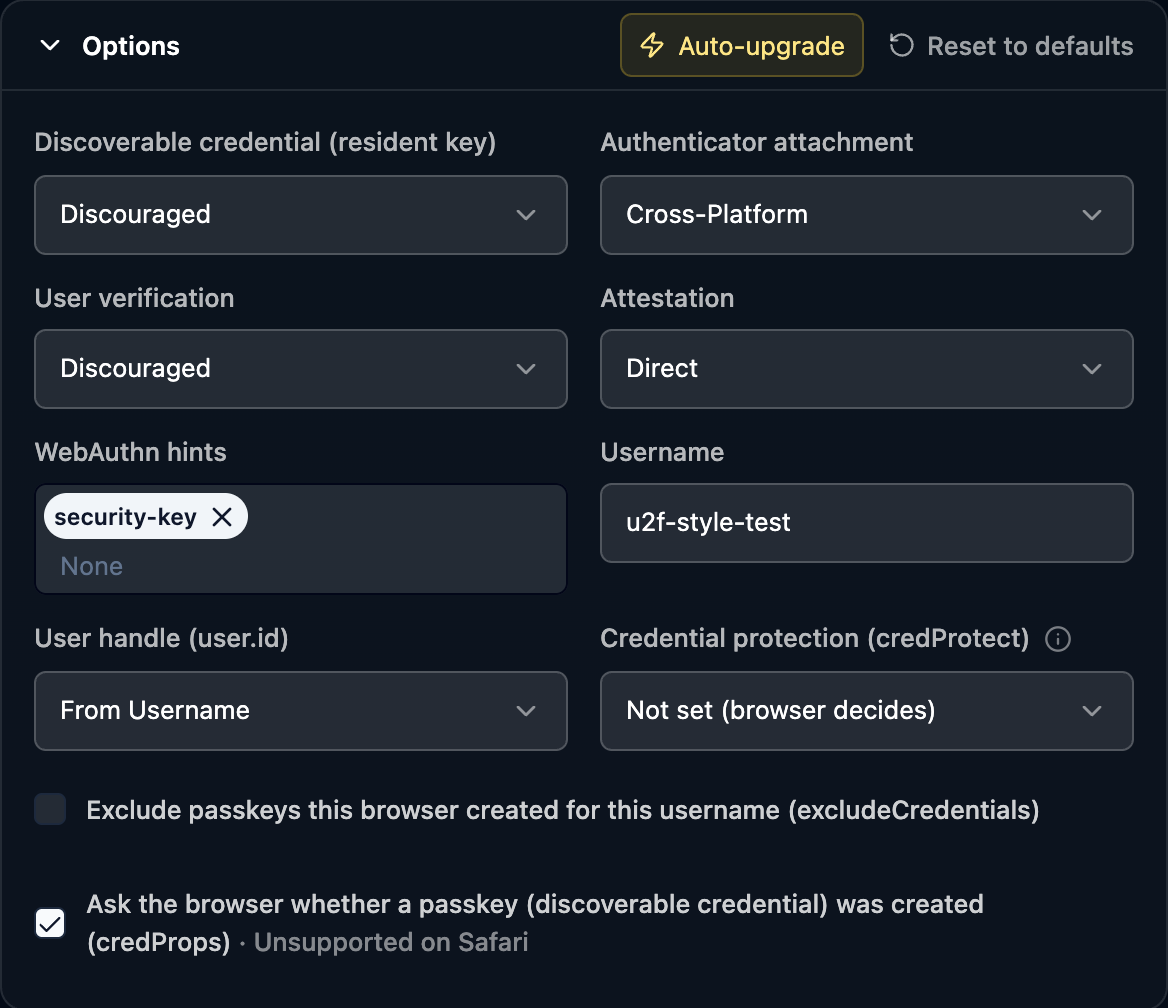
Open the prepared testThe link sets the options of a classic second factor: discoverable credential and user verification both
discouraged, cross-platform attachment, direct attestation and thesecurity-keyhint.The hint keeps password managers such as 1Password from offering their own passkey in place of the key.
- 2
Register the key
Click Create passkey, insert the key or hold it to the NFC reader and touch it. A second factor needs no PIN, so no PIN prompt should appear.
- 3
Read the result
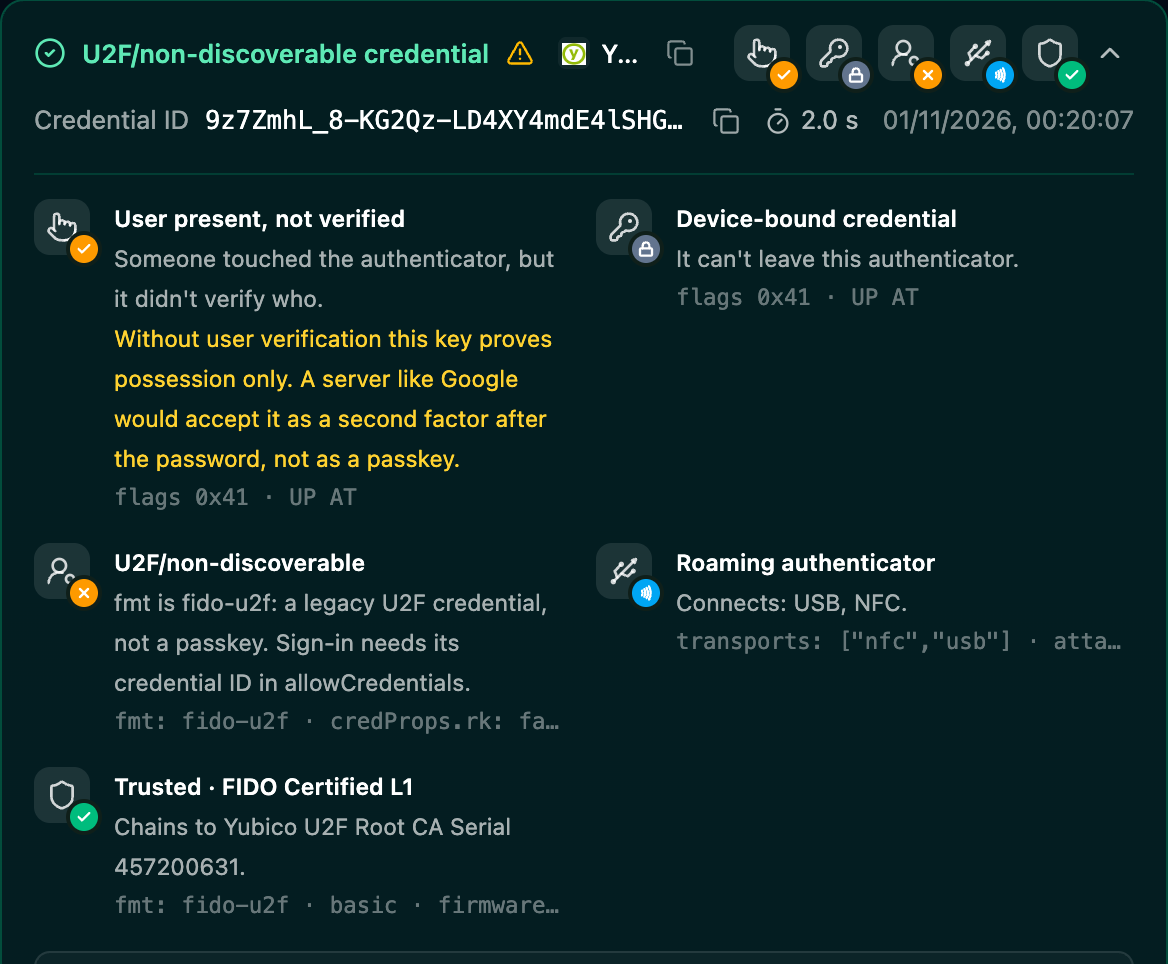
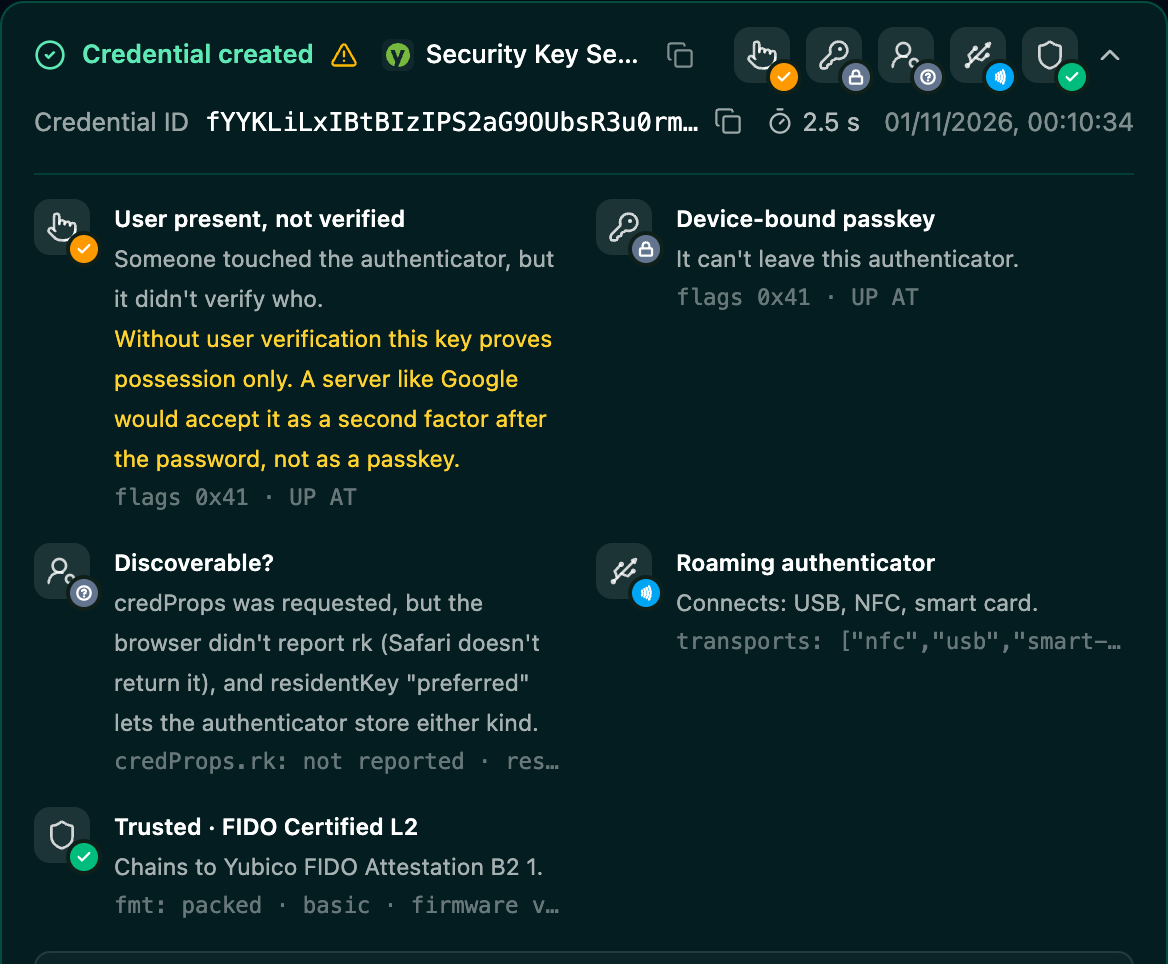
This older YubiKey 5 NFC with a PIN set registered in Chrome without a PIN prompt. Chrome used the U2F protocol for it, so the attestation came back as fido-u2f.
- User present, not verified
- Only a touch. The amber line explains what a server makes of it: a second factor, not a passkey.
- U2F/non-discoverable
- fmt is fido-u2f and credProps.rk is false: nothing on the key.
- Device-bound credential
- Backup eligibility is off, so no synced passkey took the key's place.
- Trusted · FIDO Certified
- Without an AAGUID the model is found by its certificate key ID.
- 4
Log in after the password
Switch to Authentication and log in with the credential ID in
allowCredentials, as your server would after the password. A touch should be enough.Share turns the session into a read-only link for teammates or a bug report.
Which options to use
The same key works as a second factor or as a passkey, depending on the ceremony settings. For a second factor, stay with "discouraged". "required" stores a passkey on the key with a PIN, and "preferred" lets the browser decide.
discouraged · discouraged
The classic second factor. Touch only, nothing on the key, login with the credential ID. This test.
preferred
The browser decides. Chrome creates a discoverable credential and asks for the PIN, Safari may skip the PIN and does not report credProps. Large services use it for compatibility and classify the key afterwards.
required · required
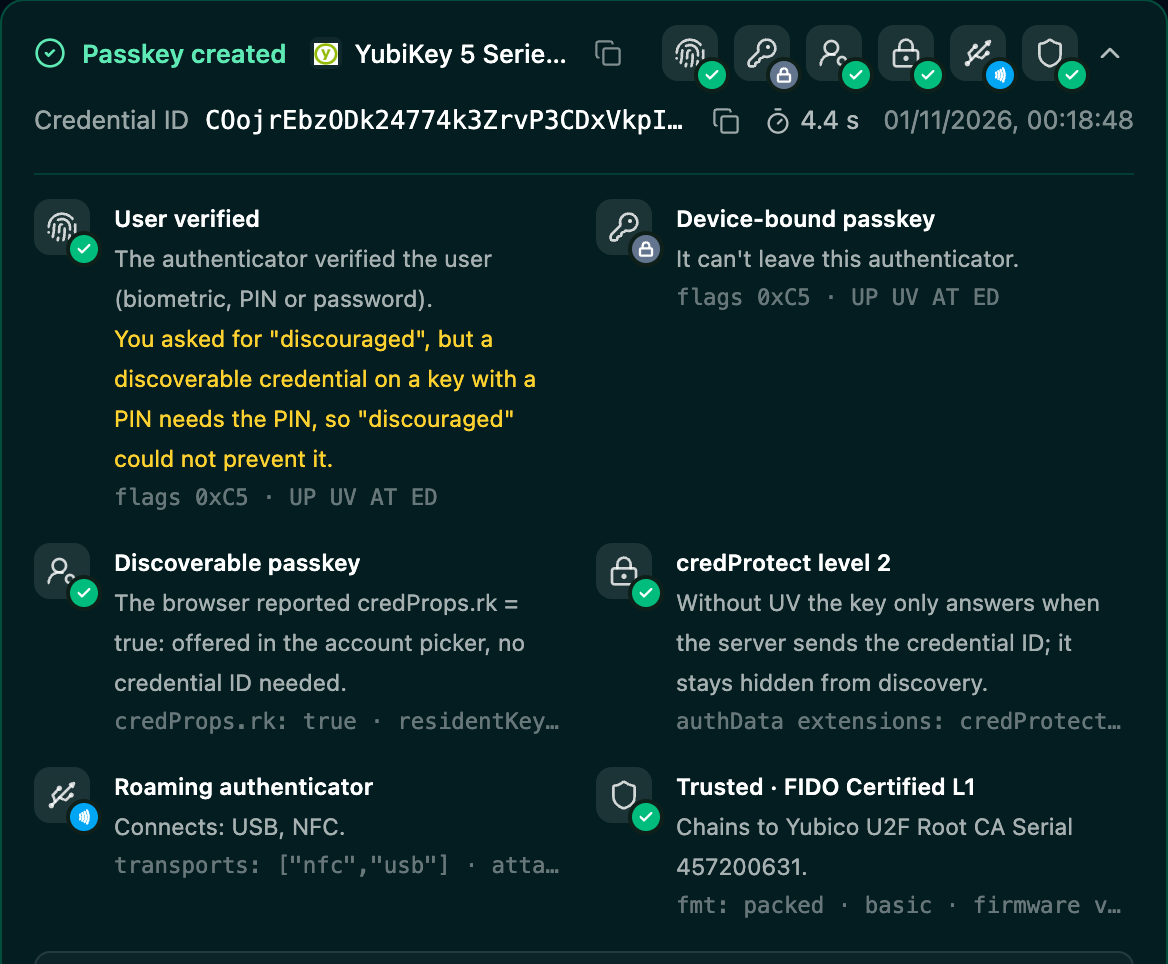
A passkey on the key: PIN and touch, no password. Test it here.
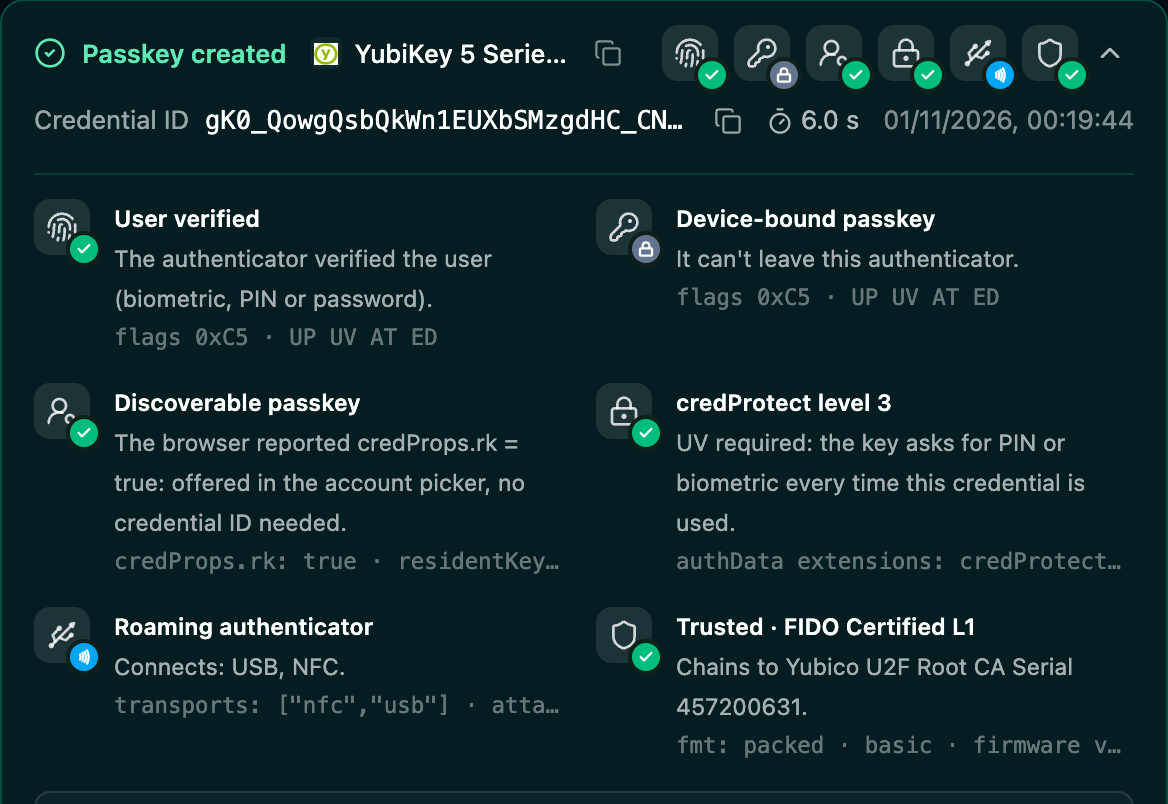
The details of Chrome's credProtect levels: WebAuthn credProtect and security keys.
When the test does not look like a second factor
The debugger explains each case under User verified. These are the usual causes.
A PIN was asked although you set "discouraged"
Discoverable credential was "preferred" or "required". A discoverable credential on a key with a PIN needs the PIN.
Set discoverable credential to "discouraged". The prepared test already does.
A PIN was asked on Windows
On Windows the browser hands the request to the operating system's security dialog, which talks to the key and decides.
Test Windows separately, and make sure users know their key's PIN.
A password manager offered to save a passkey
The extension replaced the WebAuthn call. The result would be a synced passkey, not your key.
Keep the security-key hint and reject backup eligible credentials and attestation none on your server.
NotAllowedError right away
The prompt was cancelled, timed out or the key could not meet the options.
Run the test again and touch the key within the prompt's time.
Questions
- Which WebAuthn options make a security key a second factor?
- Set residentKey and userVerification to "discouraged", authenticatorAttachment to "cross-platform" and attestation to "direct". The key then stores nothing, needs only a touch and the server always sends the credential ID in allowCredentials at login, after the password.
- Why does my second factor registration return fido-u2f instead of packed?
- The browser talked to the key over the old U2F protocol. Chrome does that for non-discoverable registrations on older keys with a PIN set, so it does not have to ask for the PIN. Newer keys and Safari usually return packed. A server has to accept both formats.
- Why was I asked for a PIN although userVerification was "discouraged"?
- A discoverable credential on a key with a PIN always needs the PIN, so residentKey "preferred" or "required" brings a PIN prompt. On Windows the operating system's security dialog talks to the key, not the browser, and decides on its own. The debugger names the reason under User verified.
- Does the second factor test use a slot on my security key?
- No. A non-discoverable credential is wrapped into its credential ID, which the server stores. The key keeps nothing, so you can run the test as often as you like.
Related
- Security key testThe same key as a passkey: PIN, discoverable credential, no password.
- Security keys the community testedModels, FIDO certification levels, firmware and passkey slots from real tests.
- WebAuthn credProtect and security keysWhy Chrome sets credProtect level 2 or 3 and what it means in Safari.
Stuck on a result? Ask in the passkeys community on Slack and share the session link.
Corbado Observe
The debugger shows one login. Observe shows all of them.
The same client-side detail for every login in production, so you see where users fail before support tickets do.
Every authentication method
Per-user journeys
Device readiness
Your existing IdP